CSC3231 Planet of the Goblins
Video link:Grade: 100%
Summary
For CSC3231, the task was to create a graphical scene in unity to render a planet’s surface, utilising the graphical techniques we were taught in the module. The key features I implemented were:
- Procedural generation for the surface of the planet, using layers of perlin noise.
- Post processing effects such as bloom and vignette.
- A lens flare, shown by looking at the sun.
- A realistic water shader, adapted from the Unity asset store to work on the spherical planet.
- A custom, dynamic skybox that changes to simulate a day/night cycle.
- Multiple textures on the planet’s surface.
- Multiple light sources.
- Comfortably running above 60fps. The coursework was given a grade of 100%.
Procedural Generation
For the procedural generation of the planet, I followed a video series by Sebastian Lague in which he creates a prodecural planet in Unity.
The generation worked by creating a cube with 6 seperate faces of many vertices, and transforming it into a sphere by normalising all the coordinates of the faces to be equal distance from a central point.
Using this method instead of the standard sphere mesh was necessary, as the standard sphere mesh does not have a uniform distribution of vertices. Furthermore, splitting the planet up into sub-meshes allows for more vertices, as Unity has a limit of 65535 vertices per mesh (without using a workaround).
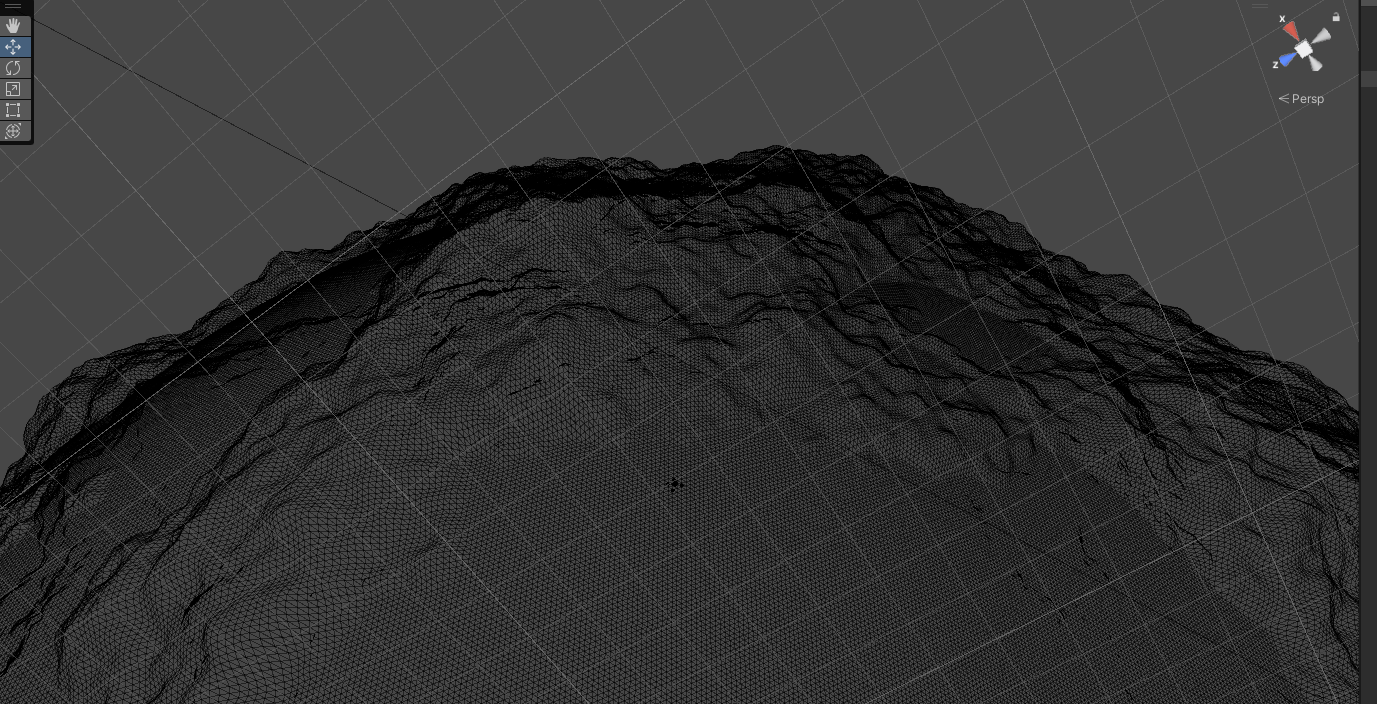
The planet has many vertices for extra detail.
I followed his tutorials relatively closely, but make some key changes:
- Instead of a cubesphere created by using 6 face meshes, I used 24 face meshes, to drastically increase the possible resolution and detail of the planet.
- I did not implement the shaders that he used for the planet surface, and instead created by own from scratch using Unity’s ShaderGraph.
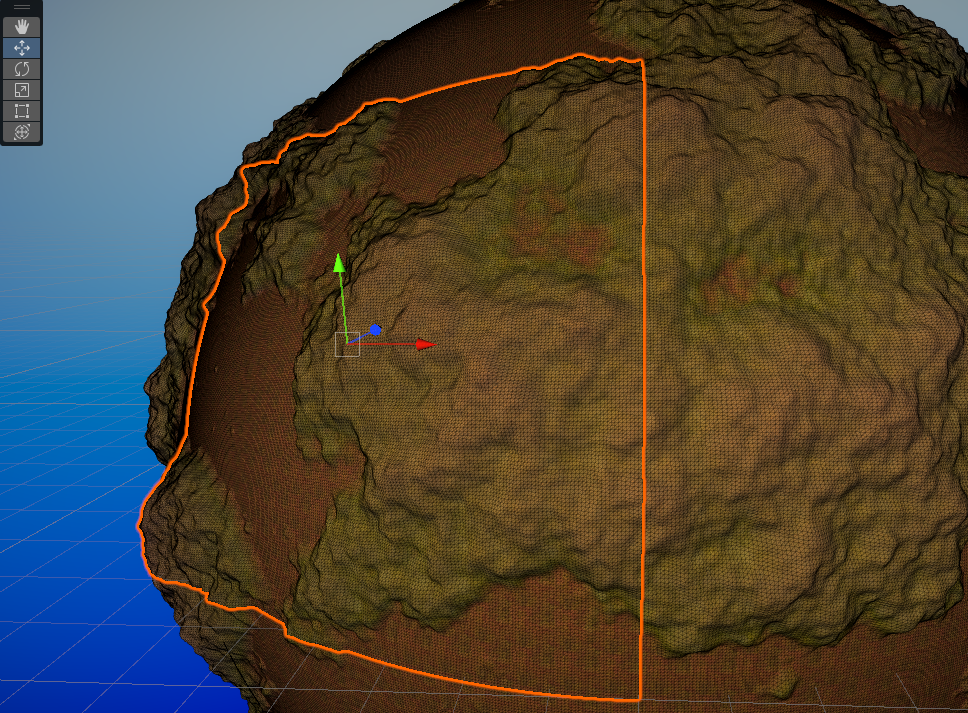
The planet is made of many seperate meshes.
Shaders
At this point in my programming career, I had not touched upon writing shaders before, and given the small timeframe of the project, I decided not to learn HLSL (the shader language that Unity utilises). I instead used ShaderGraph, a Unity feature that provides a visual scripting solution to create shaders. For the water, I adapted this shader slightly to make the ripple effects and scrolling look more appropriate for a spherical surface. The terrain shader simply blends between 3 different textures based on the distance from the centre of the planet. The skybox shader is more complex: it firstly changes between two different inputs based on distance, one that samples a space skybox and one that is generated using the position of the sun. The day/night cycle is driven by the angle between the camera’s position and the sun, with a lower angle being more “day” and a larger one being more “night”.
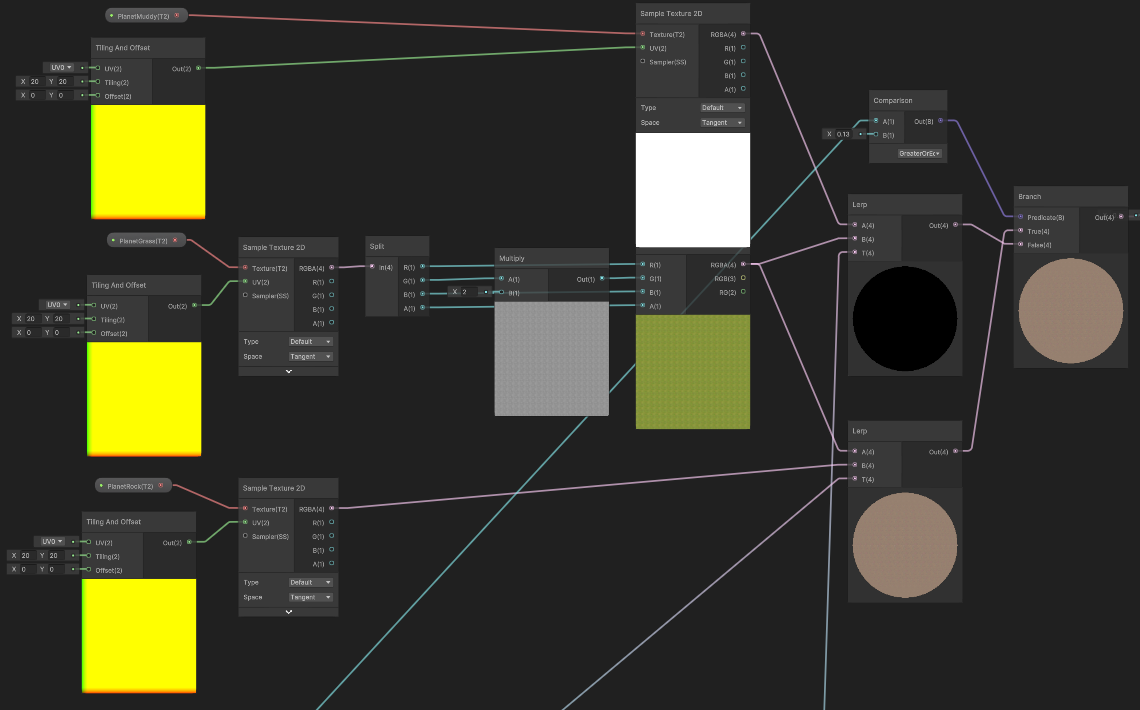
A sample from the terrain shader, lerping between three different textures. The inputs of the lerp functions (not shown) are calculated using the position of the vertex, comparing it to the tallest and shallowest vertices of the planet's surface.
What went well
Overall, I think the scene is quite visually cohesive, and I am quite proud with what I managed to make. The lens flare definitely contributes to the visual quality, and I am happy with what I managed to do with ShaderGraph, having never used it before. I am obviously very happy with the grade it was given, as I could not really improve in that regard. I am quite proud that I managed to implement some procedural generation, even if it was mostly by following a video series, as I still understood the concepts used.
What I would improve
One of my main criticisms with the project is the visual artifacts, caused by lighting. This is a by-product of creating the planet using many seperate meshes, instead of one large mesh. A key improvement would be to solve this issue. Another visual artifact that can be seen is shadow acne. I think the main cause of this the planet’s circular nature, and how that interacts with the directional light of the scene. To improve this, I would spend more time investigating the issue and experimenting with Unity’s shadowmapping settings. Another thing I would improve would be the skybox when on the planet’s surface. Although the dynamic skybox works as intended, the sky when on the surface is rather simplistic and devoid of clouds. A cloud texture of some kind could have ben sampled when using the surface skybox, to improve the realism of the scene.